Is Reviews trying to copy Yuka?
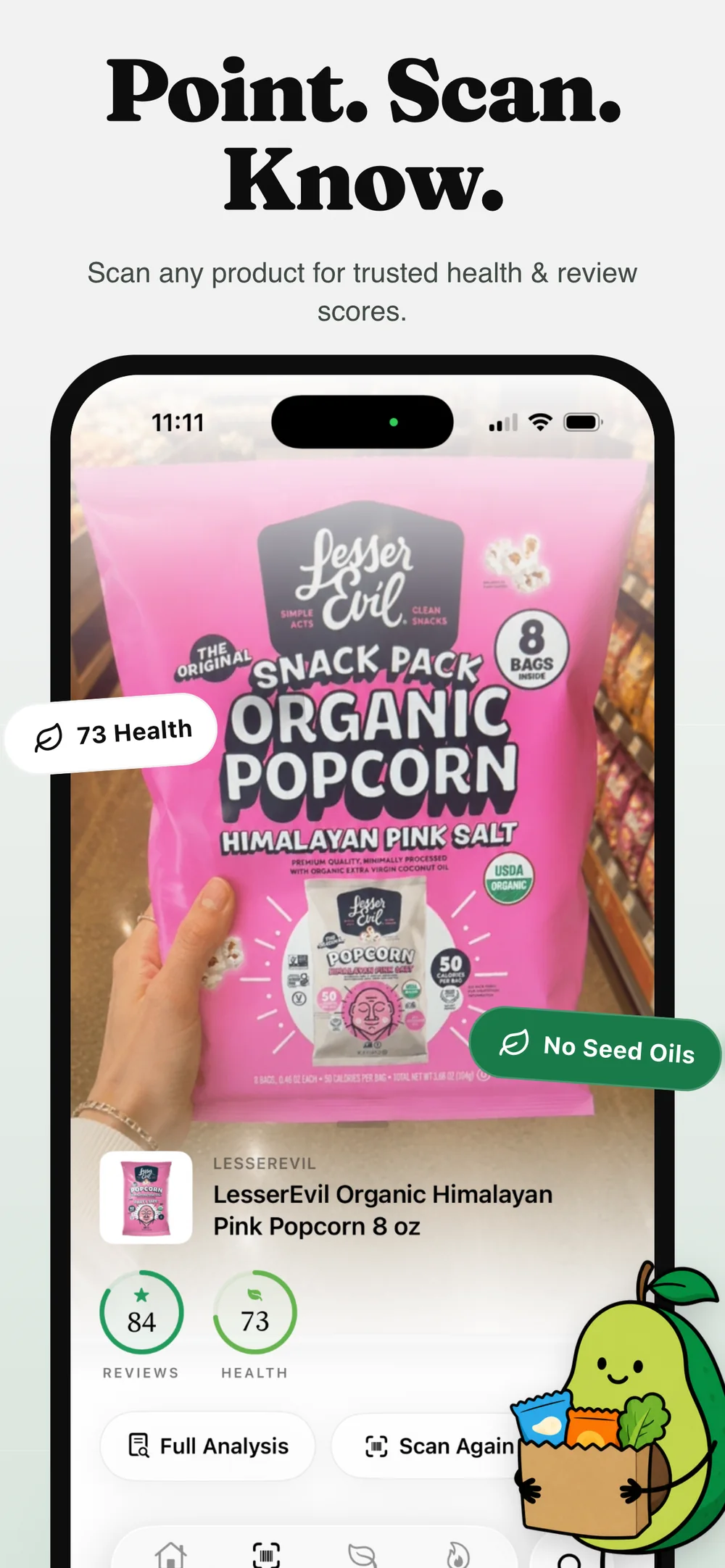
No. Both products scan barcodes, but Reviews uses two distinct scores and puts ranked shelves, shopper appeal, scan trends, pantry saves, and comparison paths at the center of the experience.

Independent comparison
Yuka is the established health-first scanner. Reviews takes a different route: it separates shopper appeal from the health signal, then connects each scorecard to ranked shelves, scan trends, saved products, and cleaner swaps.
Bottom line
At a glance
Specific differences, without pretending one app fits every shopper.
Yuka presents a health-oriented rating based on nutrition, additives, and organic status for food.
Yuka is especially strong for a fast health-first read.
Yuka officially covers food and cosmetics.
Yuka offers scan history and healthier recommendations; premium adds search, offline mode, and alerts.
Yuka intentionally centers its health evaluation.
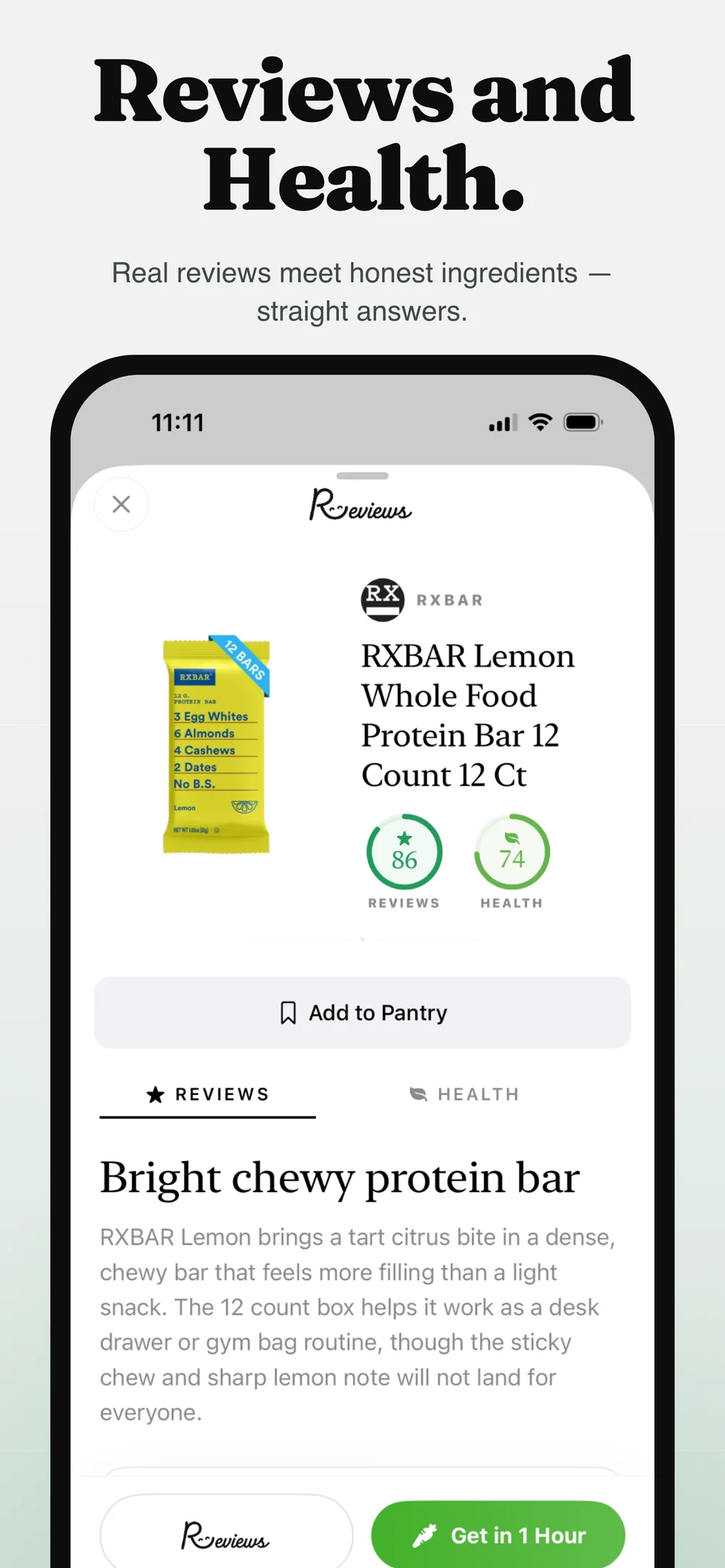
Both apps can turn a barcode into an understandable product page. The meaningful difference is what happens after the scan. Yuka is designed around a health-impact assessment. Reviews keeps that health signal separate from the product-experience signal.
That separation matters when a product tastes great but has label tradeoffs, or when a cleaner product has mixed shopper appeal. Reviews lets both facts stay visible instead of blending them into one answer.
Yuka is the more mature product. Its current US App Store listing describes six million referenced food and cosmetic products, and its official site documents a long-running independent funding model with no brand advertising.
It also offers offline scanning and custom alerts in its member version. Those are real advantages for shoppers who travel, have specific ingredient preferences, or want the broadest established catalog.
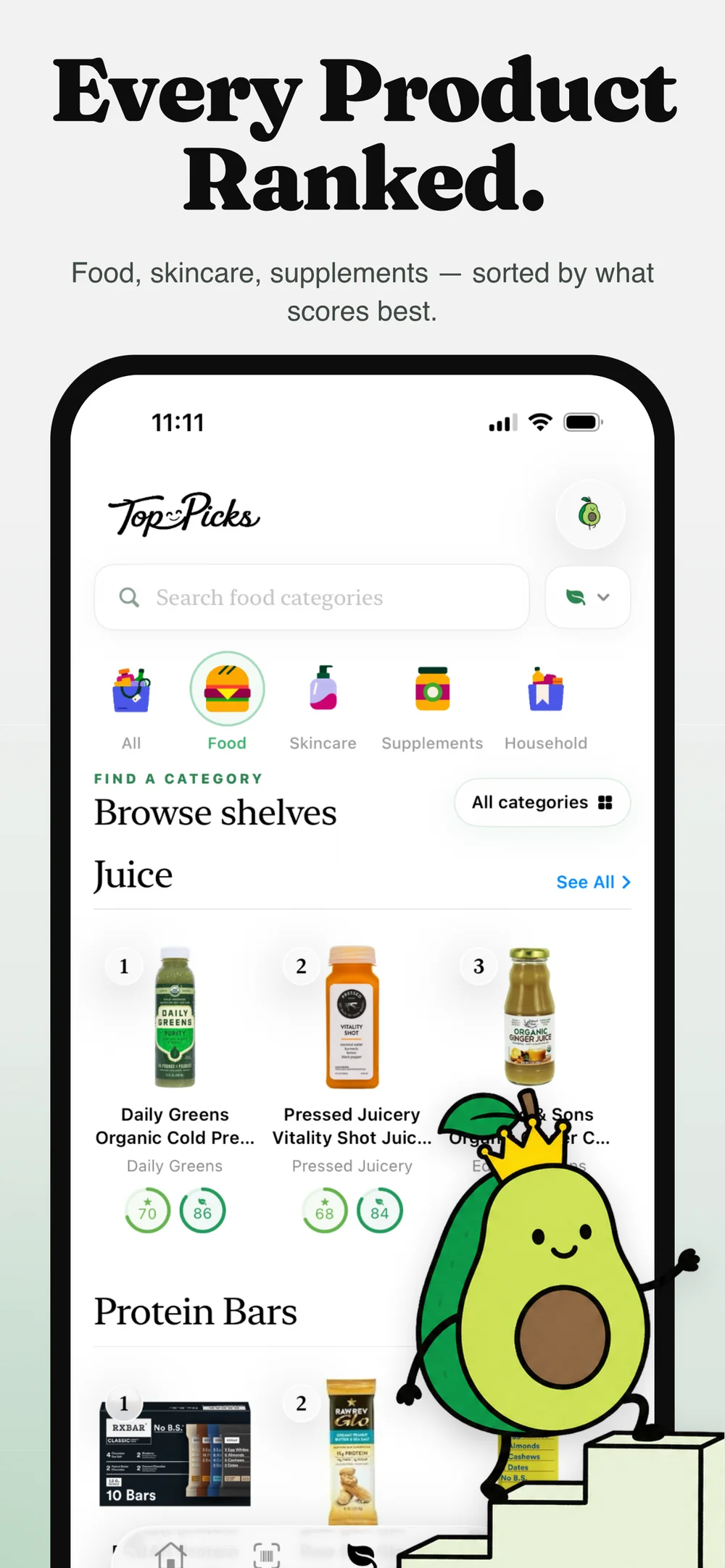
Reviews is built around the aisle, not only the individual item. A scorecard connects into category rankings, similar products, cleaner swaps, brands, trending activity, pantry saves, and scan history.
The goal is not to turn one score into a command. It is to make the tradeoff legible, show what is actually on the label, and make the next comparison fast.
Questions
No. Both products scan barcodes, but Reviews uses two distinct scores and puts ranked shelves, shopper appeal, scan trends, pantry saves, and comparison paths at the center of the experience.
Yes. Yuka has a much larger published catalog and a longer operating history. Reviews is the newer option and is building a different two-score, shelf-first experience.
Reviews is a comparison and label-reading tool, not a medical or safety diagnosis. It shows available ingredient and nutrition evidence, scoring drivers, and uncertainty so you can make your own decision.
Yes. A health-first Yuka read and a two-score Reviews comparison can be complementary rather than mutually exclusive.
Sources
Available now
Scan the barcode, inspect both scores, and compare the shelf before it hits your cart.